When businesses take their first steps into automation, Zapier feels like magic. You click a few buttons, authenticate your Google Sheets and Slack accounts, and data flows from point A to point B without writing a single line of code.
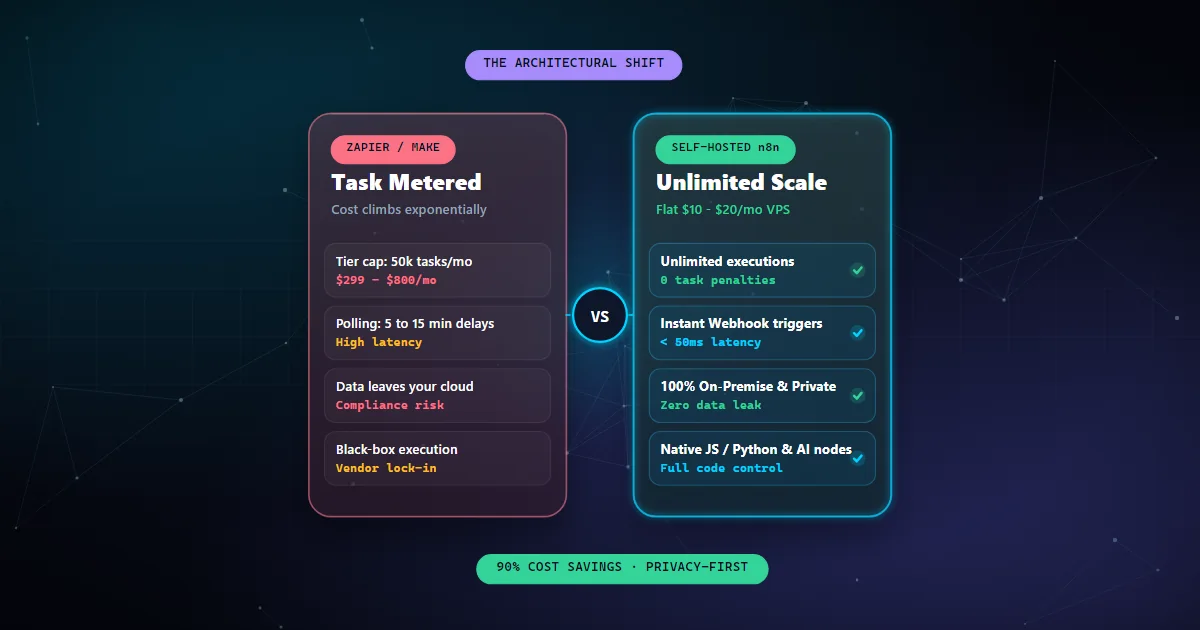
But as your operation scales from dozens of transactions a week to thousands per day, that initial convenience turns into a crippling operational bottleneck. Suddenly, marketing pipelines are throttled because your plan hit its 50,000-task ceiling, sensitive customer lead records pass through third-party servers, and invoices start scaling toward $800 to $1,500 every single month for simple background plumbing.
At StackandCode, we design workflow architectures for companies that process millions of events. For 90% of scaling teams, the solution isn't upgrading to an enterprise Zapier tier — it is migrating to self-hosted n8n. Here is why the architectural shift matters, how the economics work, and what it takes to deploy it reliably.
1. The Task-Based Cost Trap: When Automation Success Penalizes You
The fundamental business flaw in Zapier and Make is that their business model is directly opposed to your company's growth. They charge you per task.
A realistic business workflow is never a 2-step pipeline. Consider a standard inbound lead qualification workflow:
- Webhook received from a website form or Facebook Ad.
- Normalize phone number and validate business email format.
- Lookup contact in CRM (GoHighLevel / HubSpot) to check if record exists.
- Conditional branch: if existing, update tag; if new, create contact card.
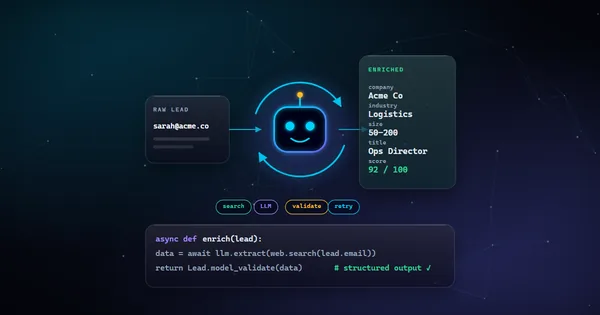
- Enrich company details via Clearbit or Apollo API.
- Calculate lead score based on employee count and job title.
- Send notification to Slack sales channel with claim button.
- Dispatch SMS confirmation via Twilio or WhatsApp Business API.
That single customer submission consumes 7 to 9 tasks. If your sales funnel captures 5,000 leads a month, you are burning over 40,000 tasks on one single pipeline — before counting invoice syncs, project creation, or email logging.
2. Polling Latency vs Real-Time Webhook Processing
In field service, e-commerce, and high-ticket B2B sales, speed-to-lead is everything. Studies consistently show that contacting a prospect within 5 minutes results in a 21x higher qualification rate than waiting 30 minutes.
Many Zapier integrations rely on scheduled polling (checking an API every 5, 10, or 15 minutes to see if new records appeared). If a high-value prospect fills out your booking form 30 seconds after a polling cycle finishes, their submission sits idle for almost 15 minutes before your sales reps receive an alert.
n8n is built from the ground up on an event-driven Node.js architecture. Its native Webhook Node opens an asynchronous HTTP listener that processes payloads with sub-50ms latency. The moment your web app, payment gateway (Stripe), or CRM fires a webhook, n8n executes the downstream logic immediately.
3. Data Sovereignty & Privacy: Keeping Payloads Inside Your Cloud
When you run workflows through third-party multi-tenant SaaS providers, all execution logs, client addresses, API keys, and financial payloads are stored on their shared cloud clusters. For healthcare teams (HIPAA), European businesses (GDPR), and enterprise clients with strict SOC2 compliance mandates, this introduces severe third-party vendor risk.
With a self-hosted n8n cluster:
- Zero Payload Leakage: All workflow variables, database queries, and credentials remain inside your private PostgreSQL database and internal Docker network.
- Direct Database Access: You can query internal PostgreSQL, MySQL, Redis, or MongoDB instances directly behind your private VPC firewall without exposing database ports to the public internet.
- Configurable Log Retention: You can configure automated pruning policies to erase execution history after 48 hours, ensuring zero lingering customer PII.
4. Native Code Control: Complex Logic Without Workarounds
In Zapier, doing something as simple as parsing a nested JSON array, generating an HMAC-SHA256 signature for a bank webhook, or writing custom regex replacements requires adding extra "Formatter" or "Code by Zapier" steps — each consuming additional paid task quotas.
In n8n, the native Code Node gives you complete access to modern JavaScript (ES2022) and Python with zero execution restrictions. You can import npm libraries, run data transformations, and return structured objects natively:
// Native n8n JavaScript Node: High-Throughput Normalization
const leads = $input.all();

return leads.map(item => {
  const data = item.json;

  // Format Indian mobile numbers to E.164 standard (+91)
  let phone = String(data.phone || '').replace(/\D/g, '');
  if (phone.length === 10) phone = '91' + phone;
  if (!phone.startsWith('+')) phone = '+' + phone;

  // Clean and lower-case domain lookup
  const email = String(data.email || '').trim().toLowerCase();
  const domain = email.split('@')[1] || '';
  const isFreeMail = ['gmail.com', 'yahoo.com', 'hotmail.com'].includes(domain);

  return {
    json: {
      ...data,
      phone_normalized: phone,
      email_clean: email,
      is_b2b_domain: !isFreeMail,
      processed_at: new Date().toISOString()
    }
  };
});
5. Production Blueprint: Deploying Self-Hosted n8n on Docker
Running n8n in production requires more than a bare Node process. It requires persistent database storage with PostgreSQL, automated container restarts via Docker Compose, and a reverse proxy (Nginx or Caddy) handling SSL encryption.
Here is the production-tested docker-compose.yml architecture that we deploy for StackandCode clients:
version: '3.8'

services:
  postgres:
    image: postgres:16-alpine
    restart: always
    environment:
      POSTGRES_USER: n8n_user
      POSTGRES_PASSWORD: ${DB_PASSWORD}
      POSTGRES_DB: n8n_db
    volumes:
      - postgres_data:/var/lib/postgresql/data
    networks:
      - internal_net

  n8n:
    image: n8nio/n8n:latest
    restart: always
    ports:
      - "127.0.0.1:5678:5678"
    environment:
      - DB_TYPE=postgresdb
      - DB_POSTGRESDB_HOST=postgres
      - DB_POSTGRESDB_PORT=5432
      - DB_POSTGRESDB_DATABASE=n8n_db
      - DB_POSTGRESDB_USER=n8n_user
      - DB_POSTGRESDB_PASSWORD=${DB_PASSWORD}
      - N8N_HOST=n8n.yourdomain.com
      - N8N_PORT=5678
      - N8N_PROTOCOL=https
      - NODE_ENV=production
      - WEBHOOK_URL=https://n8n.yourdomain.com/
      - GENERIC_TIMEZONE=Asia/Kolkata
      - EXECUTIONS_DATA_PRUNE=true
      - EXECUTIONS_DATA_MAX_AGE=168
    volumes:
      - n8n_data:/home/node/.n8n
    networks:
      - internal_net
    depends_on:
      - postgres

volumes:
  postgres_data:
  n8n_data:

networks:
  internal_net:
    driver: bridge
6. Architectural Comparison: Zapier vs Make vs n8n
To help founders and engineering leaders make an informed decision, here is how the three major automation platforms compare across critical operational vectors:
| Feature | Zapier | Make.com | Self-Hosted n8n |
|---|---|---|---|
| Pricing Model | Per task ($$$) | Per operation ($$) | Flat VPS ($10–$20/mo) |
| Execution Cap | Strict tier limits | Strict tier limits | Unlimited |
| Data Privacy | Shared public cloud | Shared public cloud | 100% Private (Your VPC) |
| Webhook Latency | 1–15 min (polling) | 1–15 min (polling) | Sub-50ms (Real-time) |
| Code Extensibility | Severely limited | Formula builder only | Full JS & Python nodes |
| AI & LangChain Nodes | Basic LLM wrappers | Basic API calls | Native LangChain & Vector RAG |
The Verdict: When Should You Make the Switch?
Zapier remains an acceptable option for non-technical solo founders who only need to sync a spreadsheet twice a week. But if your business is processing over 15,000 tasks per month, handling sensitive client documents, or requiring instant webhook responses for CRM pipeline dispatch, staying on metered iPaaS is a strategic liability.
Migrating to self-hosted n8n cuts your software overhead by 80% to 90%, protects your customer data, and gives your engineering team the freedom to automate without ever looking at a billing meter.